Centrios App
Company: Centrios - ASSA ABLOY
My Role: Lead UI/UX Designer, Product + UX Strategy
Team: Development Manager, Product Manager, Project Manager, Developers, Technology Manager, UX/UI Designer
Duration: Ongoing
Year: 2023 - Present
Summary
Centrios is a cloud-based access control solution designed for modern small businesses. It delivers simple, scalable, and contract-free keyless entry—empowering teams to manage doors, users, and locations from one dashboard. From smart locks and padlocks to mobile credentials and multi-location management, Centrios combines hardware and software into one seamless platform that keeps business access secure, flexible, and easy to control from anywhere.
Challenge
When I joined the team at ASSA ABLOY, Centrios had just launched but was facing several challenges. The user experience across web and mobile was inconsistent, with no single source of truth to guide design or product decisions. This led to confusion around how to use mobile devices to interact with locks, low adoption, and weak retention. Business owners also needed scalable ways to manage growing teams, such as bulk adding, editing, and removing users.
As the UX/UI Lead, I saw an opportunity to apply systems thinking—connecting users, devices, and access management into one cohesive ecosystem. By driving a unified UX strategy focused on clarity, scalability, and usability, we began to boost adoption, improve retention, and support sales growth through a more seamless and trustworthy experience across platforms.
Usability Metrics
The existing setup for data filtering flow within VaultNext’s Unity platform had become a bottleneck for users managing large datasets. Users reported that the process was:
-
Time to Apply Filter: Avg. 3.2 minutes per filter setup
-
Drop-off Rate: 45% of users abandoned the filter before completing it
-
Customer Support Tickets: 22% of report-related tickets involved filter usability
-
User Satisfaction (CSAT): Scored 3.1/5 on filtering ease

Centrios
Impact on Centrios
Drove measurable improvements in admin efficiency and system scalability, reducing time-on-task by ~40%, increasing task success by ~25%, and cutting user errors by ~40% across core access and device management workflows.
Lock/Unlock Page & Navigation - Old
The Lock & Unlock page relied on a static image to explain a physical interaction, which caused repeated user errors during testing. Users consistently mispositioned their phones, leading to failed lock and unlock attempts, while unclear navigation icons created hesitation and incorrect flows. The core issue was that a static visual could not effectively communicate a motion-based action, and the iconography did not match users’ mental models.

Prototype


Lock/Unlock Page & Navigation - New
To address this, I replaced the static image with a short animated video that clearly demonstrated the correct phone-to-lock interaction and redesigned the navigation icons to better communicate actions and destinations. This reduced user confusion at the point of action, improved first-time success rates, and increased confidence and speed during one of the most critical moments in the product experience.

Prototype


User Management -
Inviting a Person (Custom Access)
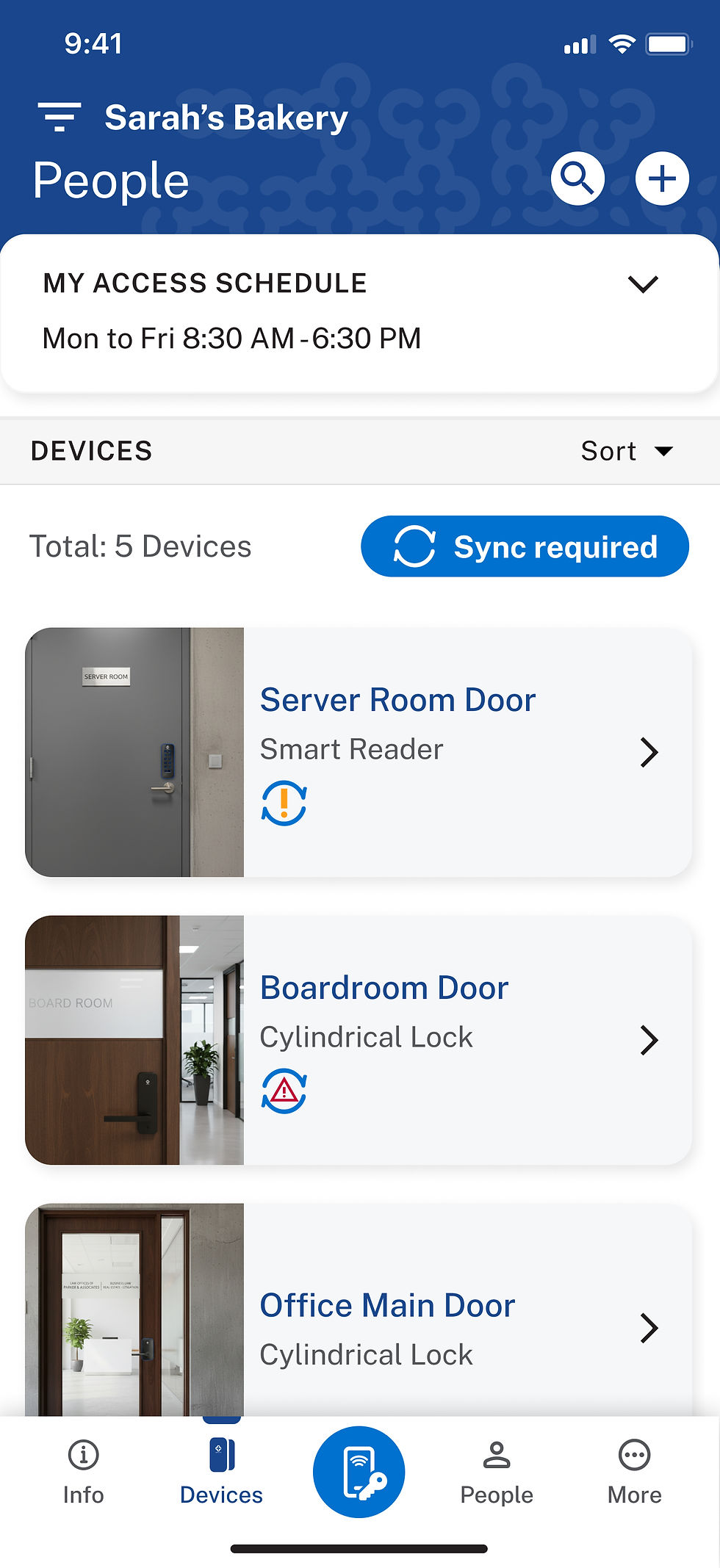
Centrios allows Owners and Managers to invite a person by assigning access at an individual level. During this process, they can define the user’s role, generate secure credentials, assign specific devices or doors, and apply access schedules to control when permissions are active. This approach offers full control and is ideal when a user requires custom access based on their responsibilities. Once configured, the invitation is sent and the user gains access exactly as defined.

Prototype



User Management -Inviting a Person (Group Access)
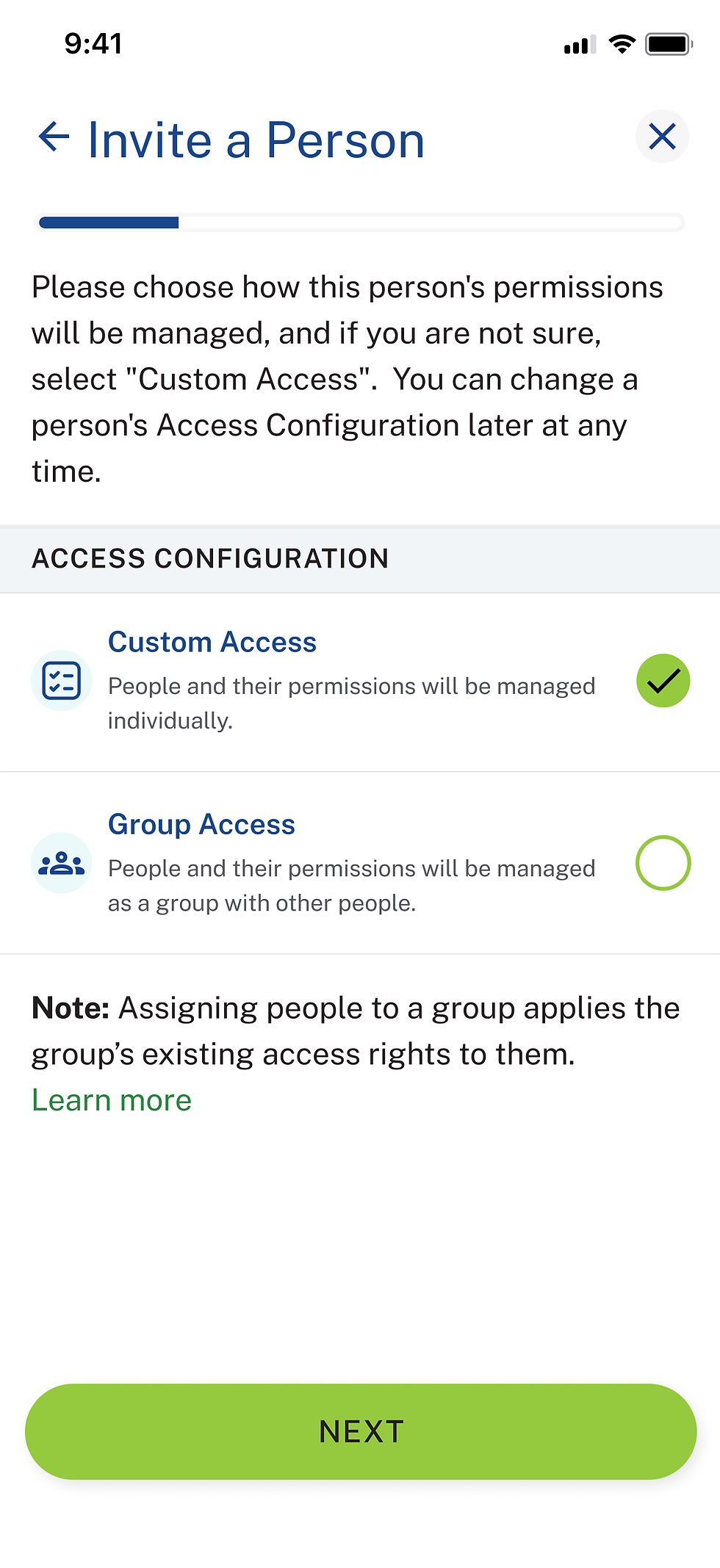
As the platform scaled, it became clear that Owners and Managers needed a faster, more efficient way to onboard multiple users with similar access needs. I led the design of Group Access Invitations, built on People Groups with predefined roles, devices, and schedules. Instead of repeating the full setup for every user, Owners and Managers can now simply assign a person to a group. The user automatically inherits the group’s access rights, and the invitation is sent instantly. This significantly reduces setup time, ensures consistency across teams, and makes user management scalable and error-free.

Prototype


User Management -
Creating a People Group
To support teams managing access at scale, I designed the People Groups system in Centrios. Instead of assigning roles, credentials, devices, and schedules to users one by one, Owners and Managers can define these permissions once at the group level. Each group acts as a reusable access template, ensuring consistency and reducing repetitive configuration.
Once a group is created, users can be added in seconds and automatically inherit the group’s access rights. This enables bulk operations, faster onboarding, and fewer setup errors—making user management more efficient while maintaining clear, centralized control over permissions.
Prototype


Device Management - Add Device
When I joined the Centrios team, device enrollment relied solely on scanning a QR code to decode and add a device. While functional, this approach assumed all devices followed the same setup flow. I identified an early scalability risk and led the introduction of an initial device type selection step before enrollment, creating a structured foundation for supporting multiple device categories.
This change proved critical as new devices—such as the padlock with a distinct setup flow—were introduced. By separating device identification from configuration, Owners and Managers gained clearer guidance during enrollment, faster setup, and fewer errors. The new structure also improved error handling and positioned Centrios to seamlessly support future device types and third-party integrations without redesigning the enrollment experience.

Prototype


Conclusion
The Centrios project reinforced that high-impact product design is about building durable systems that reduce friction, scale with complexity, and protect users from unnecessary decisions.
Onboarding - User App Guide
Background - New users often struggled to know where to start in Centrios, missing key actions like adding users or devices. I advocated for and led the design of an App Guide — a simple walkthrough that helps users understand core flows and complete setup confidently. I worked with product and engineering to scope and implement the feature, define success metrics (activation rate, time-to-value, and retention), ensure technical feasibility, and align it with our design system for consistency and scalability.

Prototype


